Tâm trạng hàng ngày | Suy ngẫm
22-4-2024 05:18 PM |
|---|
Đã viết: 4 ngày [LV.2]Spam 2
|
Mời bạn đăng ký để giao lưu kết bạn nhé <3
Bạn phải đăng nhập để xem được nội dung, nếu bạn chưa có tài khoản? hãy Đăng ký
x
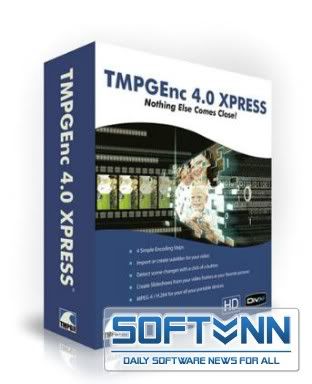
TMPGEnc XPress 4.7.3.292 Retail
TMPGEnc Xpress là công cụchuyển đổi video cực mạnh, hỗ trợ chuyển đổi nhiều định dạng khác nhaunhư DivX 6 AVI, QuickTime, MPEG 4-ISO, H.264, DVD-Video, DVD-VR, HDVcamcorder,... cắt ghép các đoạn video và xuất ra chất lượng cao. Đặcbiệt TMPGEnc được xem là một trong những công cụ biên tập DVD mạnh vàchuyên nghiệp hiện nay.
Một số tính năng chính :
Mã hóa video với 4 bước đơn giản
TMPGEnc4.0 XPress với giao diện trực quan đơn giản, công việc mã hóavideo trở nên dễ dàng hơn với 4 bước: Start, Input, Output, Encode cùngvới những thiết đặt mẫu tham khảo, như vậy bạn không phải lãng phí thờigian tính toán các thiết đặt đó mà hiệu quả lại như mong đợi...tạo cảmgiác thú vị hơn.
Thuận tiện và tự động rà soát chuyển cảnh
Bạn có thể mở những file của Windows XP Media Center (DVR-MS) vớiTMPGEnc 4.0 XPress . Nó cũng đồng thời chấp nhận những file video DVD,DVD-VR, cùng với hỗ trợ cho trình ghi hình chuẩn cao như JVC. Đồng thờitự động dò tìm các đoạn chuyển cảnh và đánh dấu chúng cho dễ giải quyếttrong khi biên tập.
Hỗ trợ phụ đề và điều chỉnh màu sắc- Bộ videogenerator mới phối hợp các đoạn text vào trong phim, và bộ biên tập phụđề mới đồng thời cung ứng hàng loạt lựa chọn và thiết đặt tùy theo ýcủa bạn. Tại phiên bản mới này cung cấp thêm cho bạn một biểu đồ vớinhững lựa chọn về hiển thị tầm hẹp hay rộng và một bộ vectorscope đơngiản để dễ điều chỉnh màu sắc.
- Bạn cũng có thể hiệu chỉnh lại thay đổi về màu sắc của những thànhphần YUV sử dụng bộ Color Correction filter. Bên cạnh đó, chương trìnhhỗ trợ xem dưới chế độ thumbnail và cuộn với tốc độ nhanh.
Tạo slideshow sử dụng các khung hình video.
Bạn có thể tạo một slideshow với những bức ảnh của mình hoặc tận dụngnhững khung hình riêng lẻ từ bộ phim của bạn, bắt hình lưu vào file vớitính năng Frame Capture. Bạn cũng có thể kèm theo audio track choslideshow cùng với đa dạng hóa trạng thái chuyển tiếp.
Hỗ trợ nhiều bộ lọc, một bộ mã hóa
TMPGEnc4.0 XPress mang theo 19 bộ lọc độc nhất và cho bạn áp dụng 30 bộ lọc vào video và mã hóa trong một lần.
Các tính năng lọc bao gồm:
* Cắt hình
* Độ sắc nét
* Đổi cỡ hình
* Đổi độ sắc nét thông minh
* Xoay hình
* Video fade in/fade out
* Phá liên kết
* Phụ đề
* Chống rung hình
* Giảm tiếng ồn audio
* Giảm tiếng ồn video
* Tinh chỉnh volume audio
* Giảm bóng mờ
* Audio fade in/fade out
* Hiệu chỉnh màu
* Âm thanh song song
* Hiệu chỉnh đoạn màu
* Đường viền
* Gaussian blur áp dụng nhiều bộ lọc vào video và mã hóa chính xác trong một lần, tốt hơn là mã hóa cho mỗi một bộ lọc riêng biệt.
Mở rộng khả năng DVD của bạn và hỗ trợ chuẩn HD
Sự loại bỏ định dạng XDVD (DVD mở rộng) của TMPGEnc cho phép bạn căngkhít tới 24h giá trị của một bộ phim trên DVD đơn hoặc hai lớp với cùngđộ tin cậy và sự tương thích mà TMPG đưa ra. Đồng thời TMPGEnc 4.0XPress hỗ trợ input/output của những file video độ nét cao MPEG- 2(MP@HL 1920x1080).
Lưu hành những bộ phim của bạn!
Sau khi bạn đạt được những thiết đặt đặc biệt cho thiết bị di động củabạn, bạn có thể đưa những bộ phim từ PC ra PSP, iPod, và/hoặc PDA cótối ưu cho chuẩn MPEG-4 ISO và định dạng file H.264.
Hỗ trợ DivX và sức mạnh mã hóa
Nhập/xuất những dạng file phổ biến có chất lượng cao của DivX vớiTMPGEnc 4.0 XPress . Bạn có thể nhập/xuất từ/nhờ định dạng của DivX dohỗ trợ tự nhiên của DivX. TMPGEnc 4.0 XPress rất sẵn lòng thêm vào danhsách các định dạng được hỗ trợ, như là Windows Media Center PC,QuickTime Pro, DVD-Video, DVD Recordables (DVD-VR),hay High Definitionvideo từ thiết bị ghi hình của bạn như là JVC. Ngoài ra hỗ trợ mã hóavà giải mã MP3 audio. Bạn chỉ cần giải nén MP3 audio từ file DivX video.
Công nghệ biên tập mới và được cải tiến.
TMPGEnc 4.0 XPress đã xem xét lại công cụ biên tập cắt-cạnh để có đượctrình diễn tốt hơn và đa năng hơn. Cắt nhiều lần nhưng mã hóa mộtlần...đó là chức năng cho phép bạn tạo nhiều vết cắt trong các cảnh vàmã hóa chúng chỉ với một lần hơn là phải nhiều lần mã hóa. Nó cho phépbạn tiết kiệm được rất nhiều thời gian và sức lực.
Hỗ trợ tùy biến menu filter
Sử dụng cùng loại lọc trong suốt qua trình làm việc? TMPGEnc 4.0 XPresscho phép bạn tùy chỉnh thanh menu filter để dễ dàng và nhanh chóng biêntập. Đưa ra danh sách các bộ lọc mà bạn muốn hay chỉ đơn giản loại bỏnhững bộ lọc mà bạn không cần sử dụng.
New Features:
• Utilize NVIDIA CUDA™ For Filtering and Decoding (NEW!)
NVIDIA CUDA technology is now supported for processing the videofilters and decoding. The multiple cores of the GPU can divide theworkload and run the processes in parallel for a huge boost inprocessing speed over your computer's CPU*. This lets you applymultiple filters such as video noise removal (time), smart sharpen,color correction, and more without having to add hours to your outputtime!
*Speed improvements are dependent on your hardware specifications.
The GeForce8800 GTX/GTS video card using the G80 core is not currently supported. Thank you for your understanding.
Decoding benefits apply to MPEG-1/2 video only and may produce unexpected video output quality compared to regular CPU decoding.
You can activate NVIDIA CUDA processing by going to Options > Preferences > NVIDIA CUDA 2.0.
To learn more about NVIDIA CUDA technology, CUDA enabled graphics cards and graphics card drivers, visit NVIDIA's website.
• Performance Optimization Feature (NEW!)
You can choose to optimize your CPU and CUDA performance based on yourhardware when you start up the program. This allows the video filtersto use the processing method that will obtain the best results,increasing the performance of your hardware and saving you time.
• Real Time Processing Rate Display (NEW!)
During output, the processing performance of the CPU and CUDAprocessors are displayed so you can see how much your computer isutilizing them. These results are not cumulative and only display thecurrent processing rate.
• Test results show impressive performance gains (NEW!)
In the beta version, application performance has been increased by upto 446% with CUDA technology, compared to the Intel Core2Quad Q9450, atop-of-the-line CPU. This demonstrates that CUDA technology will have amajor impact on encoding speed, which requires a lot of filterprocessing.
Yêu cầu hệ thống :
- Windows Vista / Vista SP1 (Ultimate, Home Premium, Home Basic, Business), WindowsXP (Home, Pro, Media Center) or Windows2000
- CPU Pentium3 1GHz, Athlon XP 2000 or better
- RAM 256MB or more
- HDD space 40MB for the program
- + enough space for the input / output files
- Screen resolution 1024 × 768 or more
- DirectX 9 or more
Changes in TMPGEnc 4.0 XPress Version 4.7.3.292 [18.08.2009]:
- Added - DivX® encoder/decoder updated to the latest version.
- Added - DivX® file output support extended to 1080p.
- Added - DivX® output offers an AVI container type selection. (1080pprofile is AVI-2 container type only). Because of this addition, the"Partition" tab is renamed as "File" tab.
- Added - DivX® file output maximum bitrate is updated to support thenew profile specifications (The GMC option is available when theprofile is set to "none" and the resolution is no greater than1024x768).
- Improved - Audio seek processing for DirectShow filter type source.
- Improved - Memory usage for the time-based noise filter is reduced.
- Improved - Output stage: output start, batch registration and preview can be activated through keyboard shortcuts:
- Encode start/stop = CTRL + Shift + S
- Batch registration = CTRL + Shift + B
- Preview = CTRL + Shift + P
- Improved - The MPEG-4 AVC file output bitrate control mode 2 passConstant bitrate is removed. (Project or output setting templatecontaining the 2 pass Constant bitrate option is automatically ajustedto 1 pass Constant bitrate.)
- Improved - The MPEG-4 ISO file output has Maximum bitrate, VBVbuffer and Quarter pixel options added, allowing improvement of thepicture quality. Some settings of the "Video" tab are now in the "ISO"tab.
- Improved - DivX file output "File" tab displays a warning that usedto appear when moving from the Format stage to the "Output" stage.
- Fixed - Some MPEG-2 TS file could not be imported correctly.
- Fixed - Some outputted non-standard DVD-Video or DVD-Video header containing garbage data could not be imported correctly.
- Fixed - Some out of standard MPEG-4 files could not be imported correctly.
- Fixed - Some filter processes could raise an exception and insteadof correctly displaying an error would stop the encode process.
- Fixed - AVCHD files generated by a camcorder would not be imported entirely.
- Fixed - An insufficient memory error would occur when encoding the biggest WMV clip registered in the Source stage.
- Fixed - Using the Smart Sharpness filter in CUDA mode would sometimes slow down the processing speed.
- Fixed - Sometimes when starting a batch output in the Batch encodetool, an output setting importation error would arise, and the outputwould start with different settings.
- Fixed - Launching the Batch encode tool would display an error that would not appear after restarting the Batch encode tool.
- Fixed - When using CUDA, the GeForce driver version check would only retreive the display driver version.
- Fixed - When using CUDA, an invalid process could arise with the Contour filter.
- Fixed - When using CUDA, setting a positive value in the Audio gapcorrection would prevent the audio from playing in the clip headerduring a preview.
- Fixed - Other minor fixes.
SpursEngine File Output- Added - "Tighten upbitrate limit" option added. This option allows you to control theSpursEngine bitrate overflow. (Previous versions had this option alwaysenabled).
- Added - The MPEG-4 AVC output VBV buffer size maximum value is increased frmo 2047 KB to 4094 KB.
- Fixed - During the SpursEngine plug-in device check, theSpursEngine board could not be correctly recognized when the driverswere not installed.
- Fixed - The VBR output would sometimes not function properly. Thiscorrection improves the picture quality. (Please install the latestversion of the TMPGEnc Movie Plug-in SpursEngine).
Homepage - Trang Chủ
Download TMPGEnc XPress 4.7.3.292 Retail (With Keygen EMBRACE )
Size : 30.42 MB
Download - Tải Về [D-Link]
Mirror Link [MF]
Lưu ý :- Đọc kỹ hướng dẫn cài đặt trong file tải về.
- Keygen không sử dụng với bản Trial download từ trang chủ
|
|

 /1
/1 


 Thẻ IP
 Thẻ đánh hơi
 Đăng lúc 4-2-2010 10:59 AM


 Thẻ thăng tiến
 Thẻ đỉnh cao
 Thẻ trầm mặc
 Thẻ huyên náo
 变色卡
变色卡 Thẻ cướp Tem
 Đóng đinh
 显身卡
显身卡